Bättre presentationer – snabbare med AI
Utmärkande presentationer som fångar din publik på några minuter.

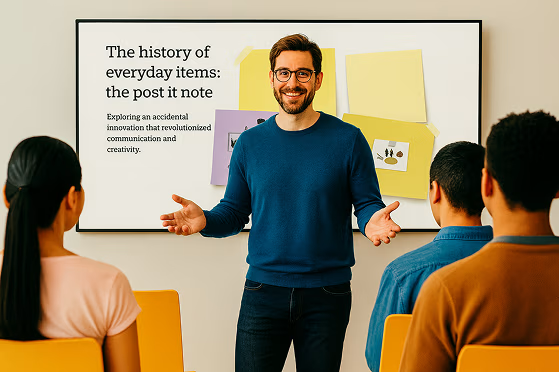




Från idé till presentation hur lätt som helst
Presentera djärva idéer, skapa visuella element som väcker uppmärksamhet och ge liv åt varje idé med Prezi AI.
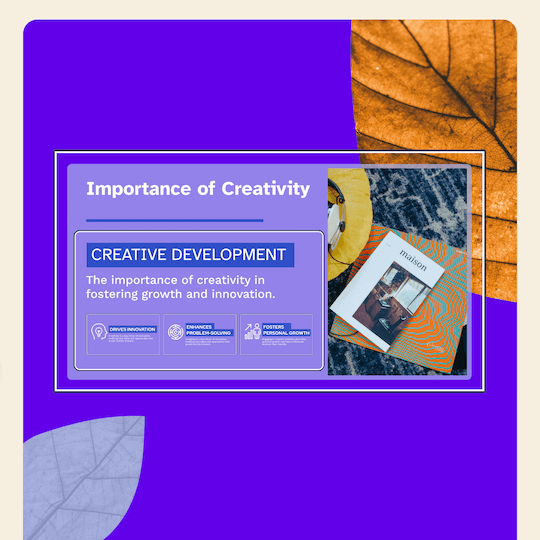

Designa med AI
Ange en prompt och få en komplett presentation.

Expertrådgivning
Personliga AI-rekommendationer hela vägen.

Visualisera vad du vill
AI-anpassade mallar ger dig den perfekta starten.

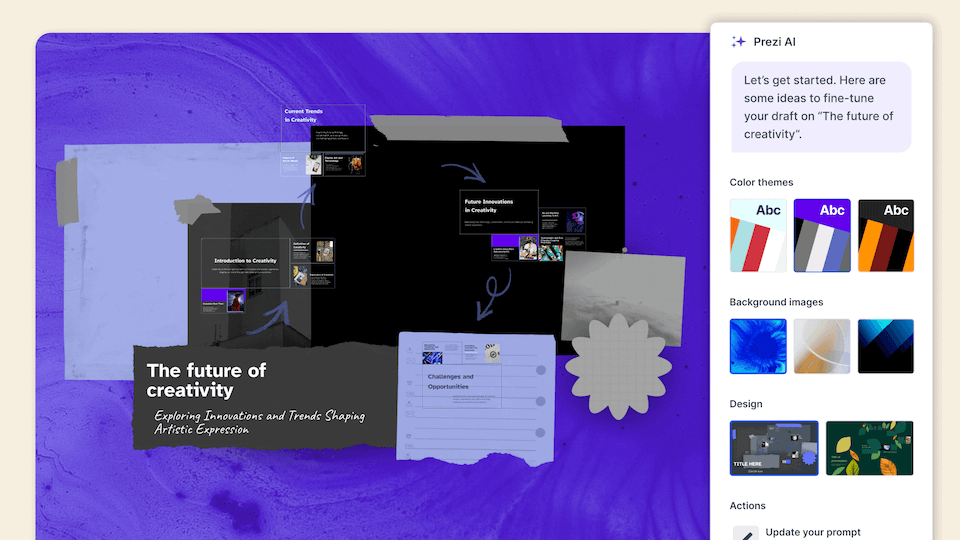
Allt du behöver för att skapa det du vill
Ta fram fantastiska presentationer med hjälp av layouter, resurser och AI-assistans som gör skapandet enklare än någonsin.
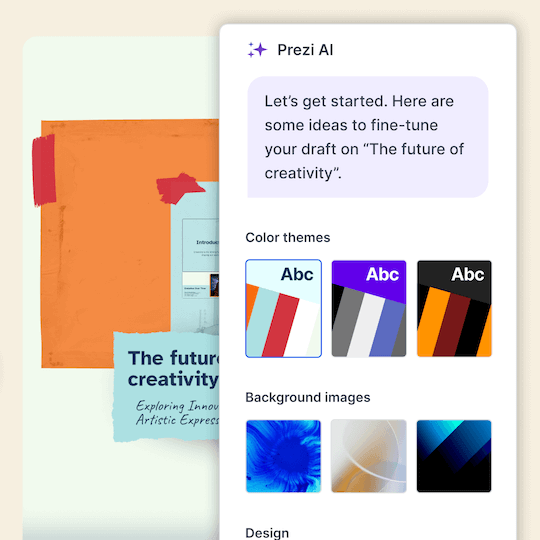

Omvandla innehåll
Skriv en uppmaning och få en komplett presentation.

Perfekt visning
Över en miljon bilder, GIF-filer med mera som visualiserar varje idé.

Snygg design
Snygga ramdesigner som gör det enkelt att skapa presentationer.

Stick ut från mängden
Lämna tråkiga presentationer bakom dig och imponera på din publik med presentationer som rör sig.


Engagera publiken
4 av 5 säger att Prezi är mer effektivt för att fånga uppmärksamhet.*

Flytta i valfri ordning
Navigera direkt till det publiken vill se.

Håll presentationen var du vill
Prezi Video visar dig tillsammans med ditt innehåll på skärmen.


4 av 5
säger att Prezi är mer effektivt för att fånga publikens uppmärksamhet.

3 av 4
skulle rekommendera Prezi till en kollega.

91%
säger att Prezi har förbättrat deras arbetsresultat på ett positivt sätt.
Betrodd av organisationer som känner till kraften i fantastiska presentationer





Upptäck varför våra kunder älskar oss
Prezi rankas som den uppmärksamhetsfångande presentationsledaren inom alla branscher baserat på hundratals lysande kundrecensioner.
Framtiden för AI-baserade presentationer är här.
Vanliga frågor
What is Prezi’s AI presentation maker?
Prezi AI is an AI presentation maker that helps you create a complete, polished presentation from a prompt or uploaded file, like a PDF, PPT, or DOC. It generates a structured draft with suggested slide titles, key points, and design theme so you can move from idea to presentation faster.
Hur fungerar Prezis AI-presentationsdesigner?
Prezi's AI presentation designer turns your ideas into polished presentations effortlessly. After entering a prompt or uploading an existing file like a PDF or Word document, Prezi AI generates a complete presentation with customized layouts, frame designs, and visual elements. You can then make final tweaks with our AI image generator and text editor before presenting.
Kan Prezi skapa en PowerPoint (PPT) med AI?
Yes. If you want an AI PowerPoint presentation maker workflow, you can use Prezi AI to draft your presentation quickly and then export or share it in the format your team needs, like exporting to a PowerPoint.
Kan jag omvandla ett befintligt dokument till en presentation med AI?
Yes. Prezi AI can help you create a presentation with AI from existing content. Add a prompt or upload content, and Prezi AI generates an outline and slide-by-slide draft with layouts and visuals you can refine. You stay in control and can edit text, reorder slides, and adjust design before presenting.
Är Prezi ett gratis AI-presentationsverktyg?
Yes, Prezi is available as a free presentation software with AI-powered features included. If you want unlimited access to Prezi AI, you can try a free trial or upgrade to a paid subscription. No matter which subscription you choose, you will be able to present with Prezi's unique format that makes content more engaging and memorable.
Hur skiljer sig Prezi från andra AI-presentationsgeneratorer?
While most AI presentation tools force your content into generic templates, Prezi AI takes a smarter approach. Based on your unique content, Prezi AI generates a presentation with custom design, colors, and images specifically tailored to your message, no templates required. Your content provides all the direction needed to create a truly personalized presentation.
Vilka typer av presentationer kan jag skapa med Prezi AI?
With Prezi AI, you can create presentations for work, school, and personal projects, including pitch decks, reports, lessons, and slide presentations. If you are looking to make a presentation with AI for work or school, Prezi AI can help you draft faster and present more effectively.
Hjälper Prezi AI till med bildstruktur och diskussionspunkter?
Yes. Prezi AI helps with the parts that take the most time, like organizing ideas into a logical flow and creating a consistent design.
Kan jag redigera den AI-genererade presentationen?
Absolutely. Prezi AI creates a draft, but you can fully edit it. Update the text, rearrange slides, and tailor the visuals so the final result matches your brand, audience, and goals.
Är Prezi bra för att skapa bildspel med AI för team?
Yes. Prezi works well for collaborative workflows where multiple people need to review, refine, and align on messaging. If you’re looking for an AI presentation software that keeps presentations consistent across your organization with shared collaboration features and team-friendly controls, Prezi for Teams is an ideal solution.
Vad bör jag inkludera i en prompt för bästa AI-presentationsresultat?
.For the best results, include your audience, goal, topic, tone, and any must-have points. Example: “Create a 10-slide deck for mid-market HR leaders about onboarding software, highlight three benefits, include a comparison slide, and a strong CTA.” For even more prompt examples, you can explore our AI prompt library to get inspired.
Är Prezi AI lämplig för nybörjare som är nya inom presentationsdesign?
Yes. Prezi AI is built to help beginners get a high-quality first draft quickly, with suggested structure and slide content. It reduces the time spent figuring out what to say and how to organize it, so you can focus on accuracy and delivery.