
準備而不過勞
只需輸入簡單的提示,即可建立適合課堂的講座。只要輸入您的想法,讓 Prezi AI 處理其餘部分。

創建一個關於技術寫作中受眾分析的講座,包括受眾類型、關鍵因素、寫作策略和案例研究。
製作一份九年級生物課的再生能源簡報。包含熱門能源來源的章節,並解釋每種能源的運作方式。
製作一份關於有效課程規劃在高等教育中影響的簡報。重點放在創造有意圖的、以學生為中心的體驗,使學習目標與主動學習策略和有意義的評量相互結合。
建立一堂課程,教導元素在週期表上的分類方式、金屬、非金屬和類金屬之間的差異,以及原子結構、反應性和鍵結等特性如何定義它們的行為。

82%
報告更好的學生參與度

88%
認為 Prezi AI 很有幫助

第 2 個,共 3 個
節省了 30 分鐘以上的備課時間

4 / 5
向其他教育工作者推薦 Prezi
受到了解精彩簡報力量的教育工作者信賴




專為教育工作者從零打造
教得更多,準備更少
從一個想法、大綱或 PDF 開始,幾秒鐘內就能獲得全新的簡報。您甚至可以轉換現有的投影片,輕鬆開始。
吸引您的課堂
透過視覺化敘事和電影般的動態效果,讓學生保持專注和興趣。不再有學生在一堆條列式重點中恍神。

輕鬆編輯
只需點擊按鈕,即可將靜態文字和圖片轉換為互動式敘事、時間軸和圖表。您的講課內容將比以往更令人印象深刻。

讓 AI 設計師陪伴在您身邊
Prezi AI 協助您撰寫、設計和美化簡報。獲得針對您內容量身打造的完美建議,讓每個選擇都是正確的決定。
教育工作者的評價
我很喜歡能夠將我的個性融入課程中,引導學生的注意力和專注度,即使在遠距教學中,我仍然可以與我的學生們進行 'face time'(面對面交流)的互動。
Rachael Streitman美國克里夫蘭市梅菲爾德中學八年級美國歷史教師
Prezi 幫助我的課程變得生動活潑。它以一種能夠激發學生興趣的方式,使課程變得有趣且引人入勝。而當我沒有使用它時,我的學生們會讓我知道他們對此感到不滿!
傑米·尤因K–5 科學/STEM 教師,PS277x,紐約布朗克斯
我愛 Prezi。帶有視覺效果的信息總是更受歡迎,所以當我嘗試 Prezi Video 時,我就被吸引住了。一旦我發現它有多麼容易使用,我就完全沉迷其中。
Allison Upshaw 博士教務長,教師發展中心,美術助理教授,史迪爾曼學院,阿拉巴馬州塔斯卡盧薩
配合您的教學方式
Prezi 隨時隨地為您效勞。
連接您的工具
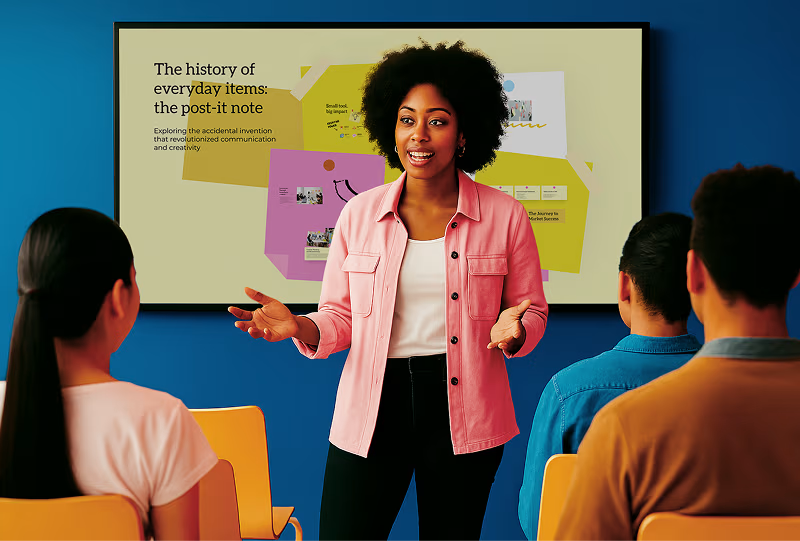
在 Chromebook、iPad、智慧白板等裝置上無縫使用 Prezi。無需額外設定。

在任何環境中教學
無論您是在教室、遠端教學,還是在移動中,Prezi 都能適應您的教學風格。

讓您的內容栩栩如生
使用 Prezi Video 在您的視覺內容旁進行簡報。非常適合虛擬、混合或錄製的課程。

賦能您的整個學校
透過 Prezi AI,您的員工可以在幾秒鐘內將想法轉化為精美的簡報。Prezi 獨特的格式有助於學生、教師和各部門進行協作、溝通和協調。此外,我們在每個步驟都提供專屬支援。
將簡報的未來帶入您的課堂

常見問題
教師可以使用 Prezi 作為課程的 AI 簡報生成器嗎?
Yes. Prezi AI can be used as an AI presentation generator for teachers. You can upload lesson notes, a worksheet, or a syllabus, and Prezi AI will generate a structured presentation you can edit and customize. It’s a fast way to create an AI presentation for your class without starting from a blank slide deck.
Prezi 教育版訂閱費用是多少?
Prezi offers special educational pricing for students and teachers, up to 80% off our other subscription options. If you’re interested in institutional licenses for schools and universities, you can contact our team to learn more about pricing and campus-wide deployment options. Prezi is flexible for individual educators as well as schools looking for education presentation software and classroom presentation software that supports large-scale use.
Prezi EDU 訂閱包含哪些內容?
Prezi EDU licenses give educators and students access to the full Prezi platform, including AI-powered presentation creation with file upload and prompt-based generation, unlimited presentations and storage, advanced design tools and customization options, privacy controls for classroom use, downloadable presentations for offline access, and Prezi Video for virtual and hybrid teaching.
Prezi EDU 訂閱使用起來安全嗎?
Yes, Prezi EDU subscriptions are designed with educational privacy and security in mind. Prezi complies with educational privacy standards including FERPA and GDPR, ensuring that student information and classroom content remain secure and private. This means teachers can confidently use Prezi as an AI presentation tool for teachers and schools, including for classroom and student-facing presentations.
我是學生。我應該註冊哪種 Prezi 授權方案?
Students can sign up for either the EDU Plus or Pro subscriptions to get full access to Prezi AI. You can also sign up for a free trial for either subscription or explore all the features before committing. If you’re creating school presentations, research projects, or group work, Prezi works as an AI education presentation maker that helps you build polished presentations faster.